

Auto Clicker
Simulate up to 10 fingers. Single tap, long press, swipe, and custom gestures.
Android Automation Platform
Automate any Android task with visual builder or Lua scripting. Image, text, color detection and 700+ APIs in one product. No root required.
Android release link: current public package
The Android button opens the current Macro Handler package. Installation, permissions, and first-run disclosures are completed through the in-app onboarding flow and this guide.
Product Surface
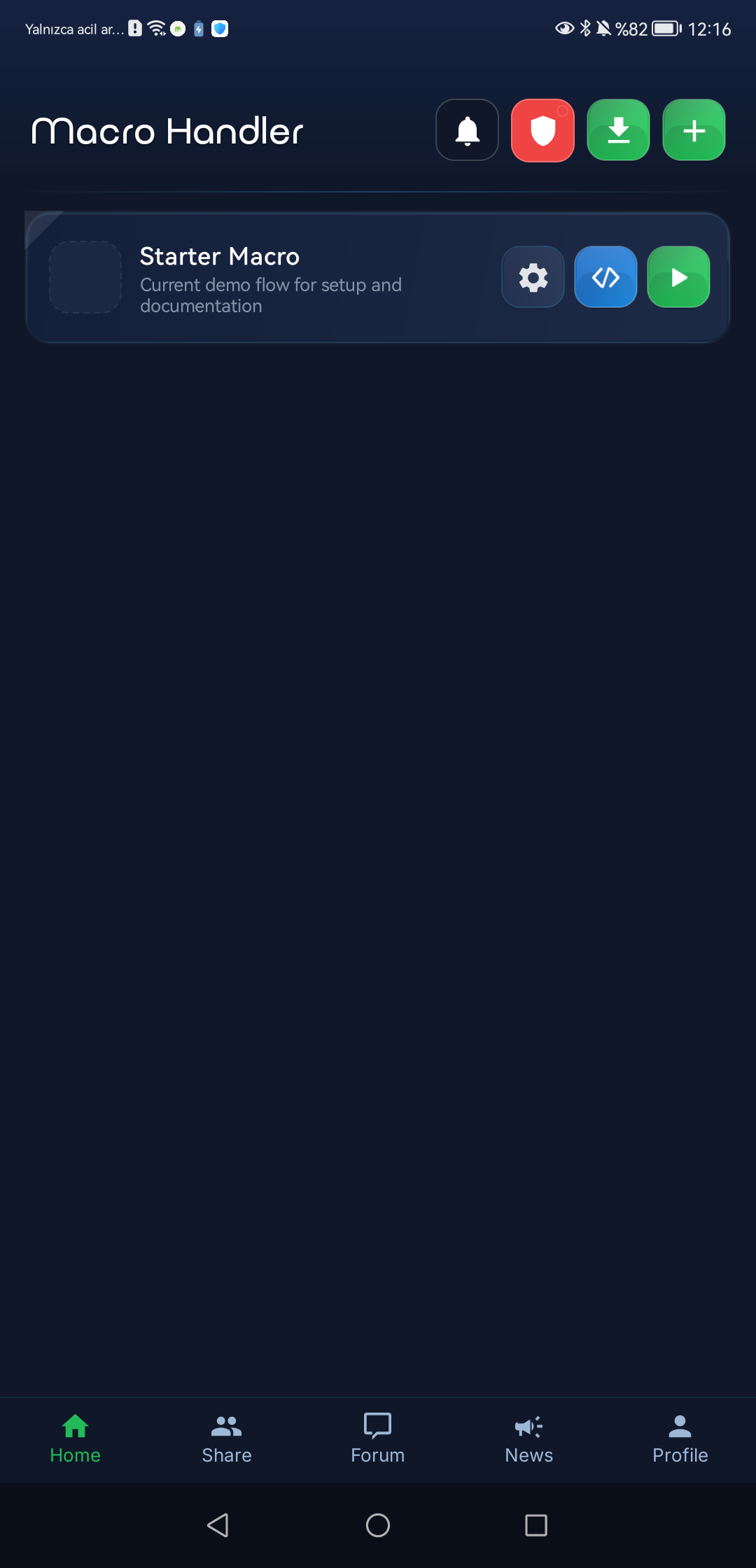
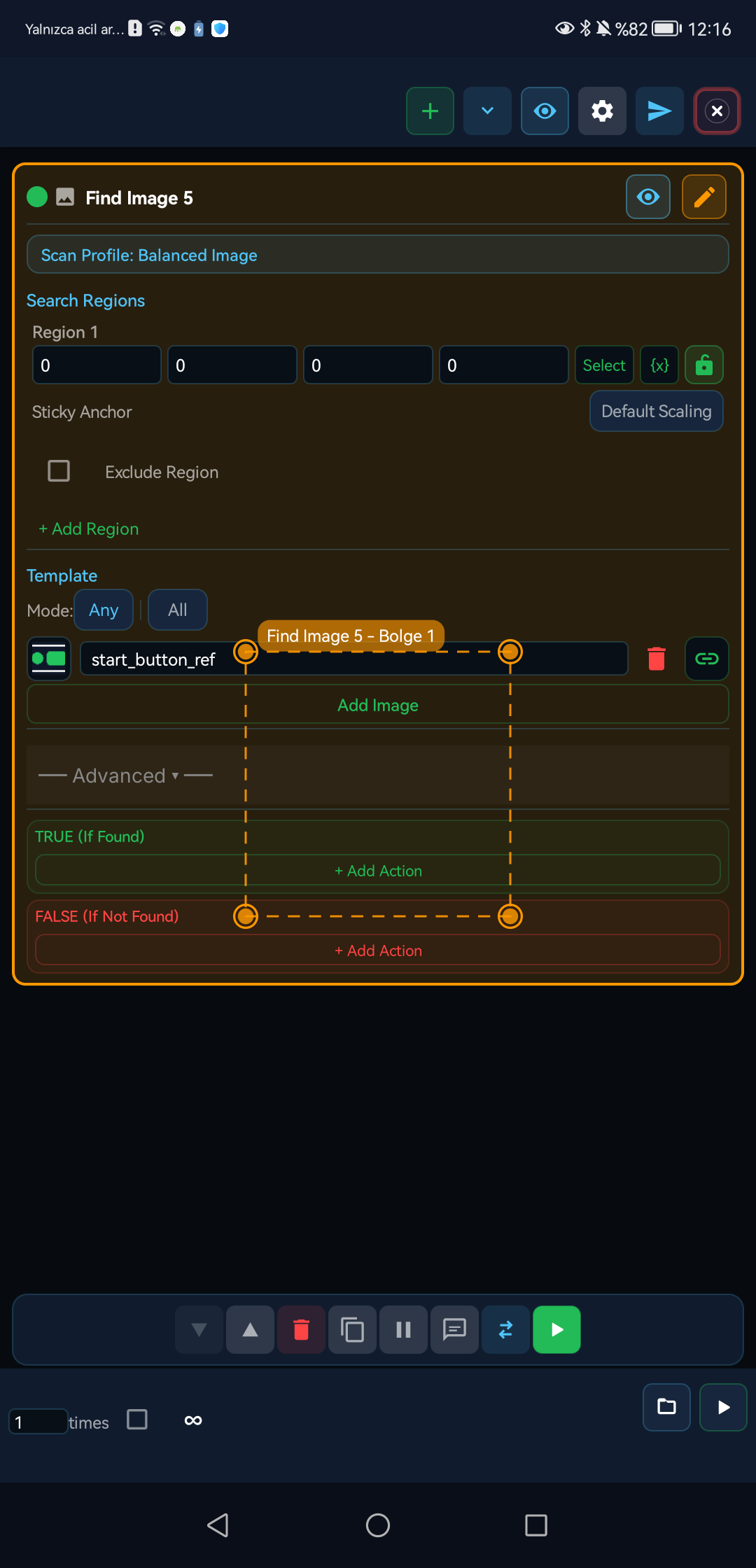
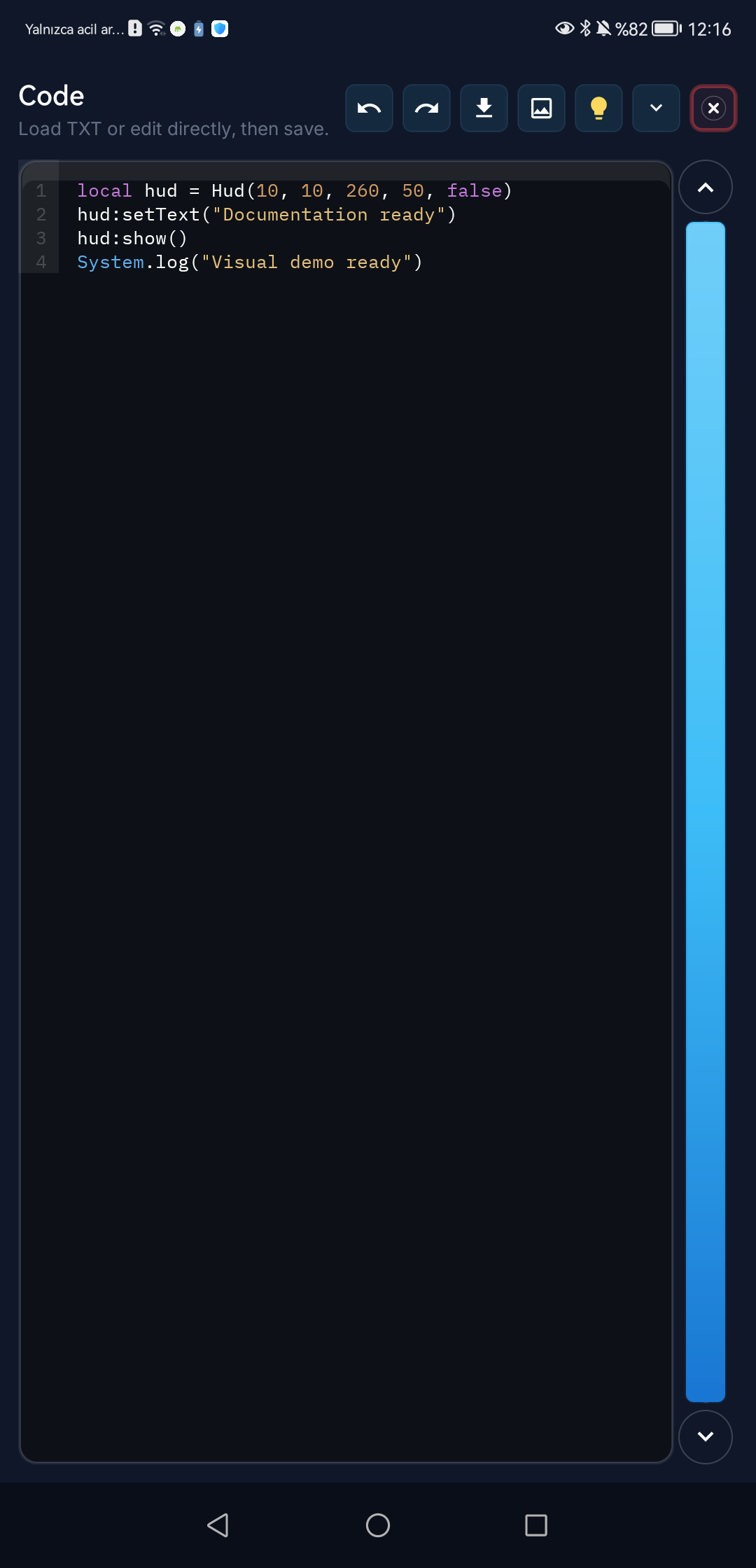
No-code builder, Lua editor, and macro management sit in one professional Android automation workflow.
Macro Management
No-Code Builder
Lua Editor
14 languages are selectable on both the website and the Android app settings. The website and Android app start in English on first open, and users can switch to their preferred language at any time.
70 cataloged OCR locale-routing codes map to 7 OCR recognizer families: Latin, Chinese, Japanese, Korean, Devanagari, Arabic, and Cyrillic. This is routing-catalog coverage, not independently validated accuracy for 70 languages. Latin, Chinese, Japanese, Korean, and Devanagari use ML Kit recognizer packages; Arabic and Cyrillic use bundled Tesseract data for offline fallback. For scripts outside the listed recognizer families or rapidly changing glyph shapes, prefer template or image flows.
Macros can start manually from the dashboard, shortcuts, quick settings tile, and widget surfaces; the automatic trigger modes cover daily time (classic clock or an advanced cron expression), repeating interval, app launch and close, allowlisted notification posted and cleared, battery level, system broadcast, remote trigger (FCM/webhook), charger connected and disconnected, screen on and off, and volume key. Every trigger can be narrowed with an AND/OR/NOT constraint tree plus screen, charging, Wi-Fi, headset, device-unlock, orientation, battery, and time-of-day window conditions. On the script side, the Event object exposes source, kind, mode, macroId, packageName, appName, title, body, and at fields.
What data we collect, how we process it, and how long we retain it is documented in full.
Step-by-step paths for exercising access, rectification, erasure, and portability rights.
Purpose, retention window, and consent basis for every cookie category are disclosed plainly.
Your account and data can be fully deleted from the in-app flow or the support channel.
Windows desktop · Technical preview
The Windows edition is under active development. It is not currently available to download or purchase.
No release date, full compatibility, or purchase availability is promised yet. Only verified capabilities will be announced.
How It Works
From setup to sharing, the entire flow is kept simple. Run your first macro in minutes.
Use the setup guide to verify the current Android distribution path, then finish accessibility and overlay permissions.
Define macro flow using Visual Builder or Lua Script mode.
Test from control panel, verify performance.
Use the managed sharing and community surfaces available for your plan.
A small image to search for is saved as a "template". The template is searched within a defined region. Actions are triggered when found or not found.
Template Flow
Template Gallery
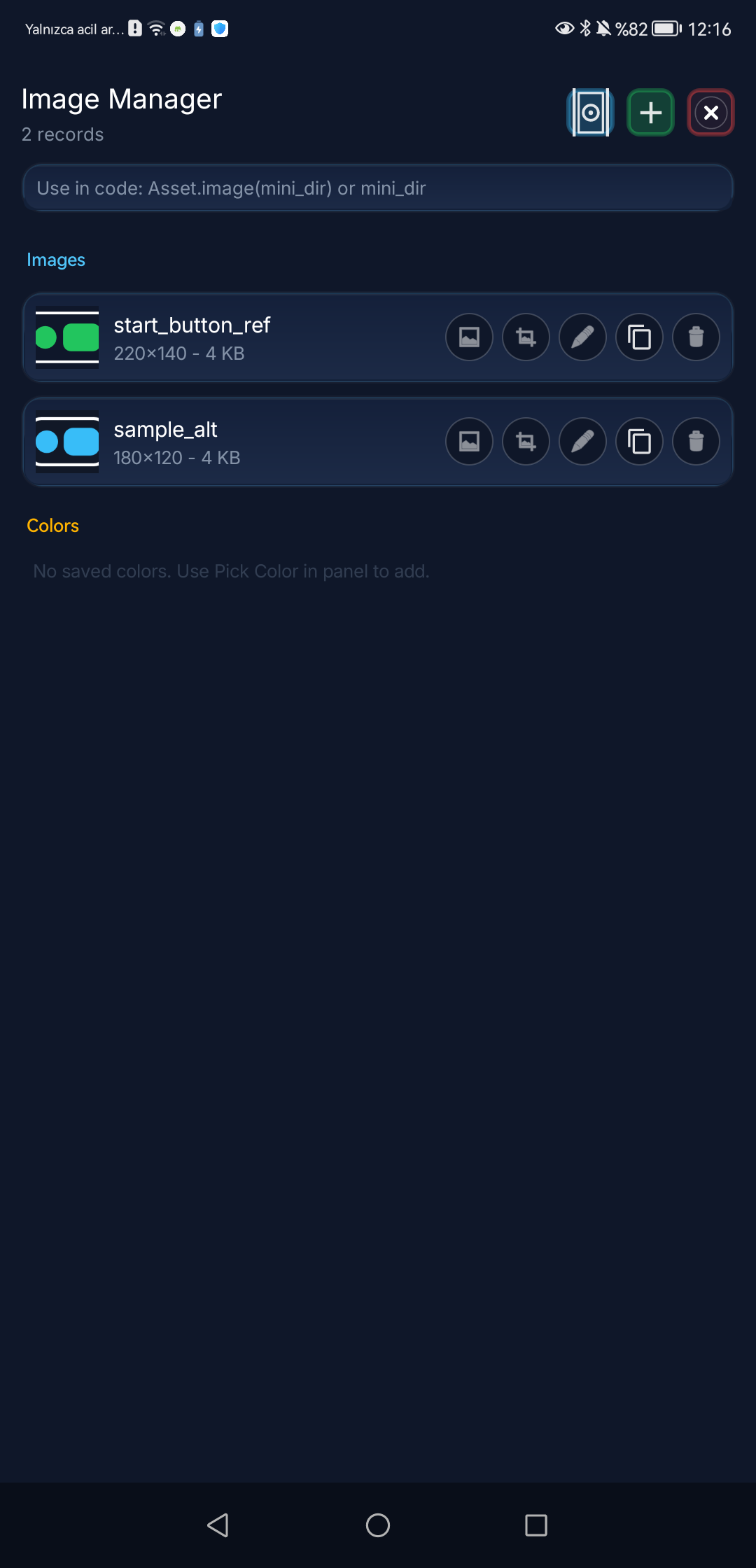
Template -> Region -> Action
Features
Everything you need to create and manage macros. Visual builder, Lua runtime, OCR, color and image detection in one product.
Simulate up to 10 fingers. Single tap, long press, swipe, and custom gestures.
Find small images on screen, click or wait. Multi-match and similarity threshold support.
70 cataloged OCR locale-routing codes map to 7 OCR recognizer families: Latin, Chinese, Japanese, Korean, Devanagari, Arabic, and Cyrillic. This is routing-catalog coverage, not independently validated accuracy for 70 languages. Latin, Chinese, Japanese, Korean, and Devanagari use ML Kit recognizer packages; Arabic and Cyrillic use bundled Tesseract data for offline fallback. For scripts outside the listed recognizer families or rapidly changing glyph shapes, prefer template or image flows.
Build flows without code. Compose larger scenarios with scans, variables, branching, loops, error handling, and group calls.
Write advanced automation on the default launch Lua runtime. The 700+ API methods claim applies to the default launch Lua runtime. Lua 5.4.8 native runtime remains experimental and is not the production default until the cutover gate passes.
Distribute macros through the managed sharing flow. Time limits, ownership checks, and play-only restrictions stay enforced.
Reliable color scanning with RGB tolerance and cluster validation. More stable results across lighting and display profile differences.
Add numeric operations to your automation steps with built-in math utilities like random range, degree conversion, and cube root.
Built-in AI that chats naturally. In the current release it works with cloud providers such as Gemini, Claude, and OpenAI; on-device local models are on the roadmap and macro designs still pass through the approval gate.
Send GET, POST, PUT, PATCH, DELETE requests. Custom headers, parameters, body, content type, and timeout support.
Persistent key-value storage across macro runs. Save and retrieve counters, states, and preference data.
Record and replay touch sequences. Easily reproduce complex touch patterns without manual scripting.
Create Android dialogs with text fields, checkboxes, radio groups, and dropdowns via Setting.builder().
Build time-based automation with date/time arithmetic, time span measurement, and stopwatch timers.
Control the floating panel from scripts. Programmatically show, hide, resize, and reposition.
Powerful pattern matching: process text data with match, matchAll, find, replace, and split operations.
Send intents, schedule tasks, get battery level, vibrate, open/close apps, and much more.
Product workflow
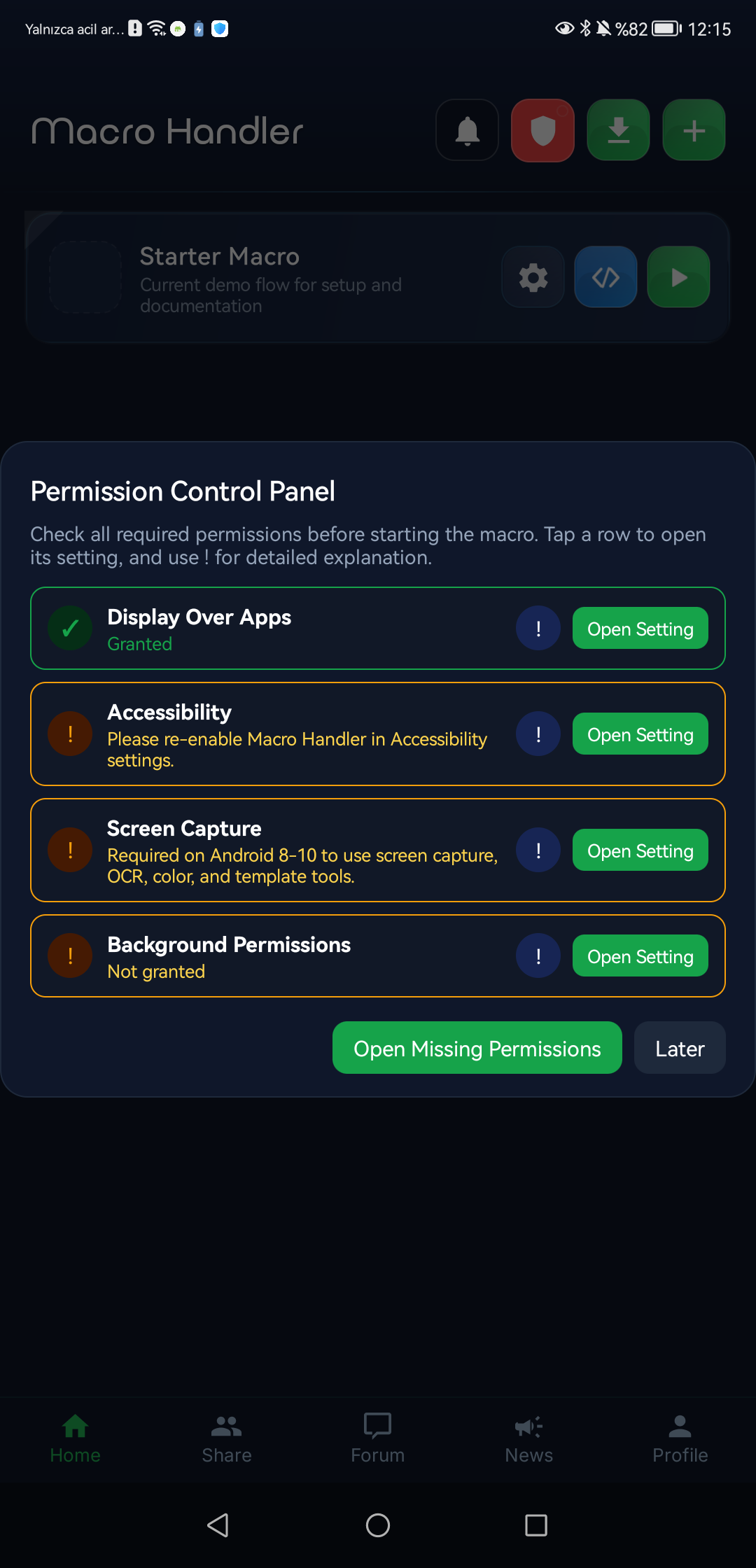
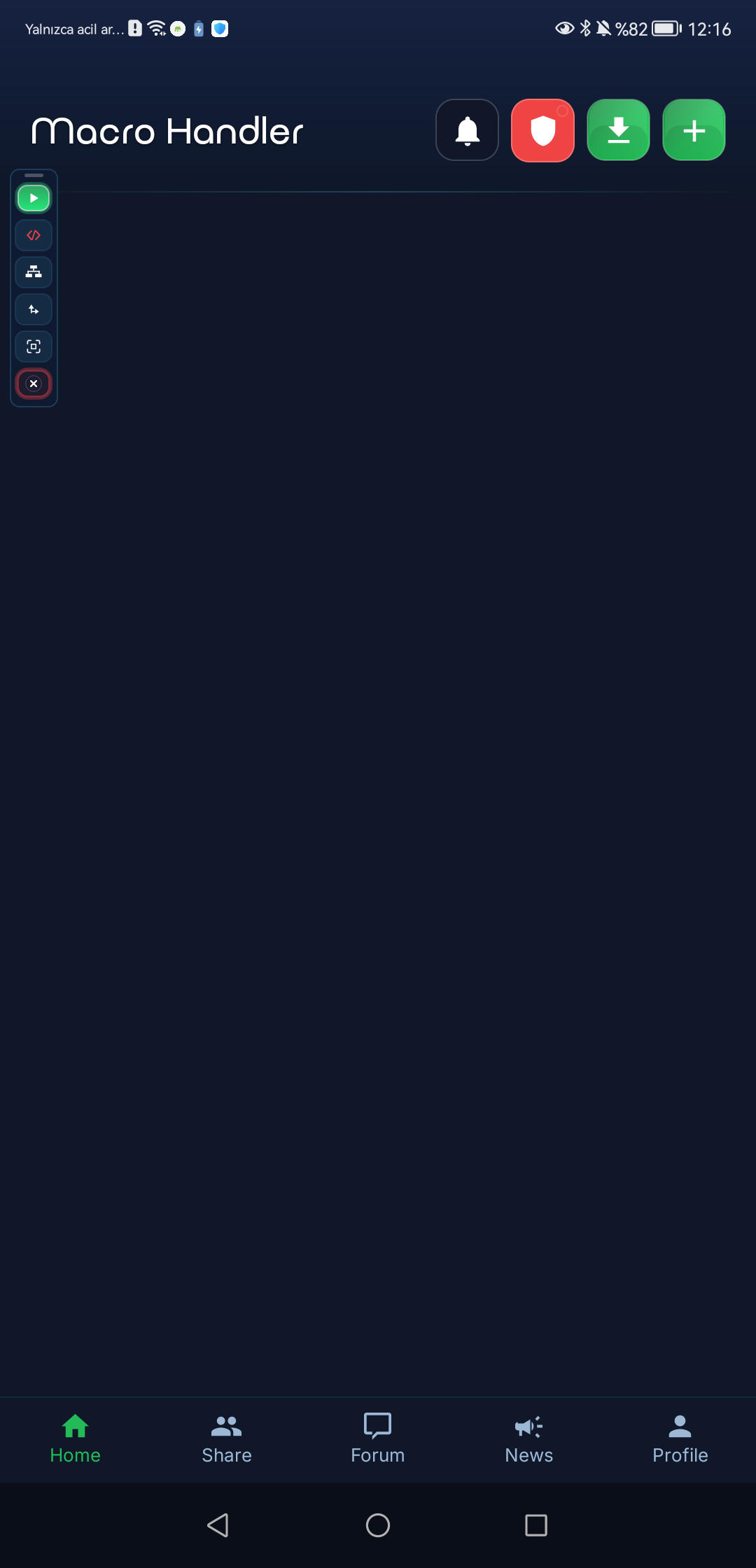
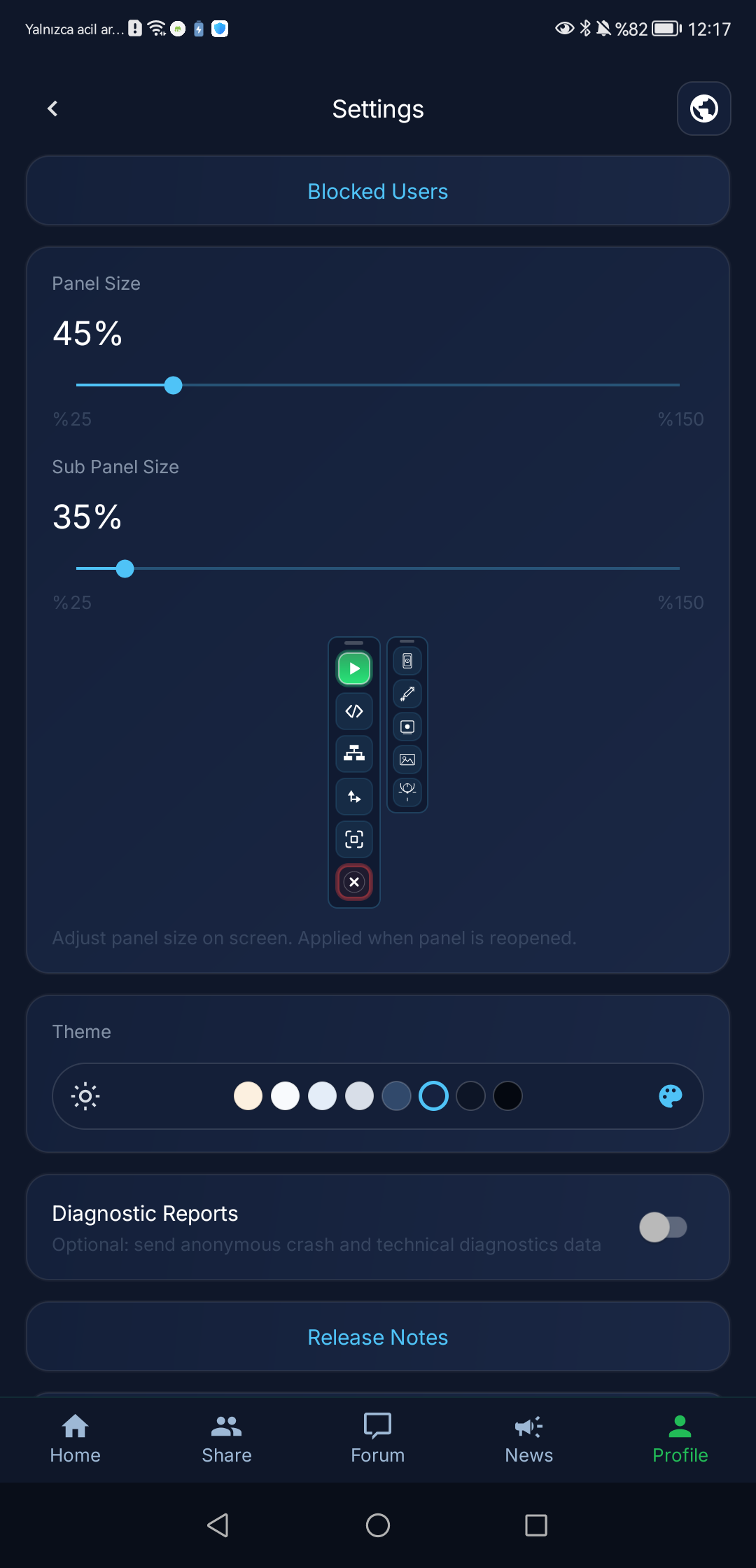
Instead of repeating the same screenshots, this section teaches the complementary product flow: permission readiness, the live control panel, and account/settings trust surfaces.
Permission Readiness
Live Control
Account and Settings
Use core features for free, upgrade to Premium for advanced capabilities.
$0
$10 / month
Explore documentation, complete setup, and build your first macro in minutes.
Runtime stability depends on Android version, OEM background restrictions, and correct permission setup. Use the compatibility guide to review device-specific requirements.